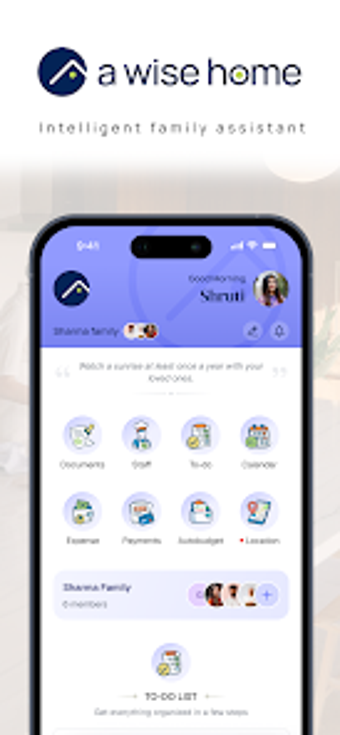
Household OS for families: budgets, documents, and chores in one app
Consolidates document storage, AI budgeting, expense scanning, and family task assignment into a single Home Operating System workflow. Lyfebynary provides this Android productivity app aimed at household managers and parents, combining a secure digital locker, AI-powered categorization and quick personalized budgets in under a minute. The app bundles bill scanning, Needs vs. Wants tagging, chore assignment, and a family coordination hub, suited to modern families who want centralized domestic administration.
What the app actually does for household administration
It centralizes core household administration by offering a secure digital locker for family and property documents, AI-powered document categorization and summaries, plus an expense tracker that scans bills and tags items as Needs vs. Wants. Those elements create a single location for records, financial snapshots, and task lists, so users stop switching between separate finance, notes, and file-storage apps during routine household work.
How it supports day-to-day budgeting and expense workflows
Budgeting and expense management form the financial backbone of the workflow: the app generates a personalized financial plan in under a minute using AI, and automated expense tracking captures bills via scanning. The combination of quick budget creation and automatic tagging lets a household produce regular spending summaries without manual categorization, which suits parents or household managers who prepare monthly plans or reconcile recurring bills.
How it handles collaboration, permissions, and family coordination
It targets multi-person households with shared access and assignment tools: the family coordination hub supports assigning chores to members, splitting expenses, and sharing the digital locker with controlled permissions. Those collaboration features fit families that need synchronized household workflows and shared record access, while permission controls address who can view property and personal documents.
On onboarding, interface expectations, and platform compatibility
The app runs on Android and is listed for iOS support in developer documentation, which lets households use common mobile devices for daily operations. AI automation reduces manual setup for documents and budgets, but households should expect an initial organization task to populate the secure locker and link recurring bills. The developer positions the app as a Home Operating System rather than a lightweight checklist tool, which implies a modest onboarding investment for full utility.
Who should adopt this household operating approach
Household managers and parents who want a single mobile place for records, budgets, and shared chores benefit most from the app. Teams that prefer separate niche apps or need minimal setup may find the initial organization effort unnecessary. For families prepared to consolidate administration on a mobile platform, the app makes household governance more centralized and practical.